
What's New for Release 2.35
Access the Knowledge Base here.
Sign Up to receive the latest updates on Axe Auditor in an email.
Filter Issues by Testing Standard
Filter a test run's Issues list by the version and level of its testing standard, for example, to show only WCAG 2.0 issues in a WCAG 2.1 Level AA test run. You can now report issue counts by version and level in axe Auditor instead of exporting the data and building a pivot table.
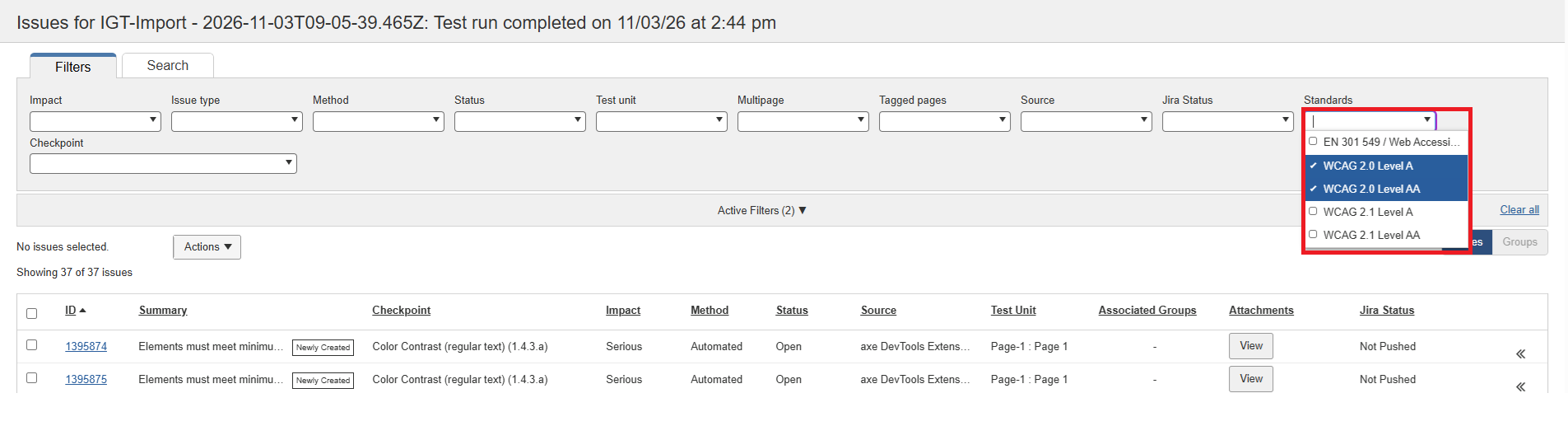
- Select one or more standards in the new Standard filter. The issue count updates to match.
- Combine the Standard filter with other filters and search.
- The filter stays applied as you sort and page through results, including on shared links.
Note: The filter applies only to the Issues list. Charts on the Test Run Overview page still show the full standard.
Issue Status History
Axe Auditor now records every status change on an issue, so you can see who closed or reopened an issue, and when, without contacting Deque.
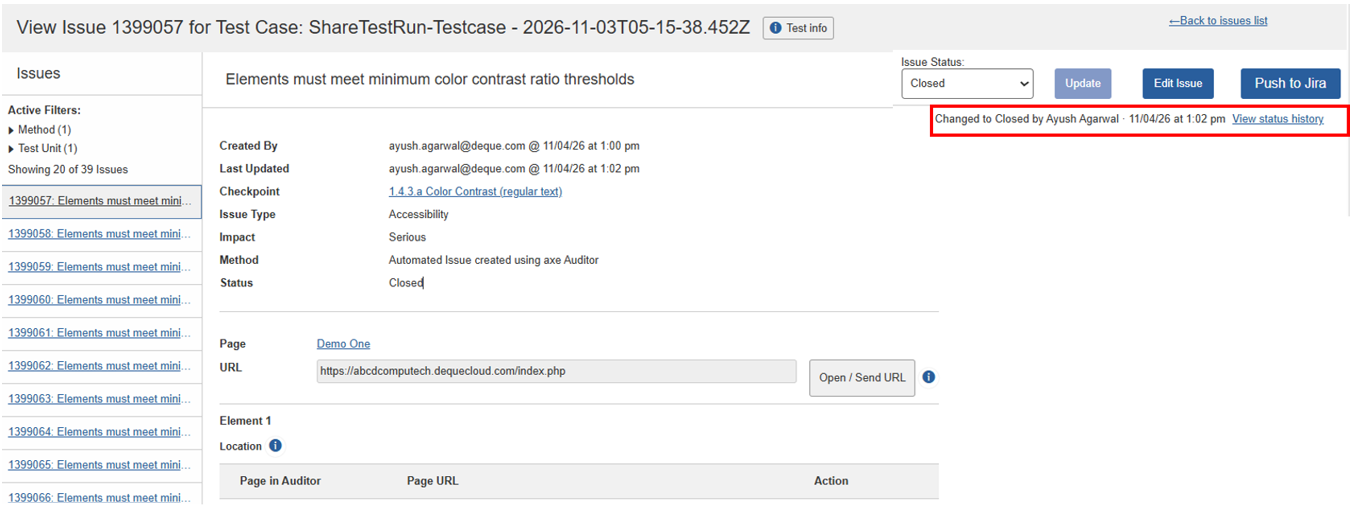
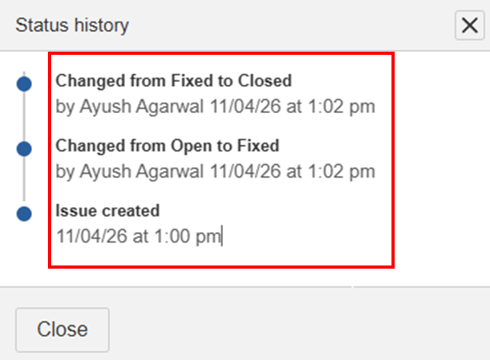
- Last changed by, next to the issue status, shows the most recent change.
- View history lists every change, including who made it, when, and the previous and new statuses.
- Changes are recorded from single, bulk and API updates, and by every role.
- Issue exports include a new Last status change column.
Choose Pass or N/A for Each Checkpoint with Mark All Complete
When you select Mark all complete, you can choose Pass or N/A for each checkpoint without applying a single result to all of them. Organization admins can also set the default result for their organization.
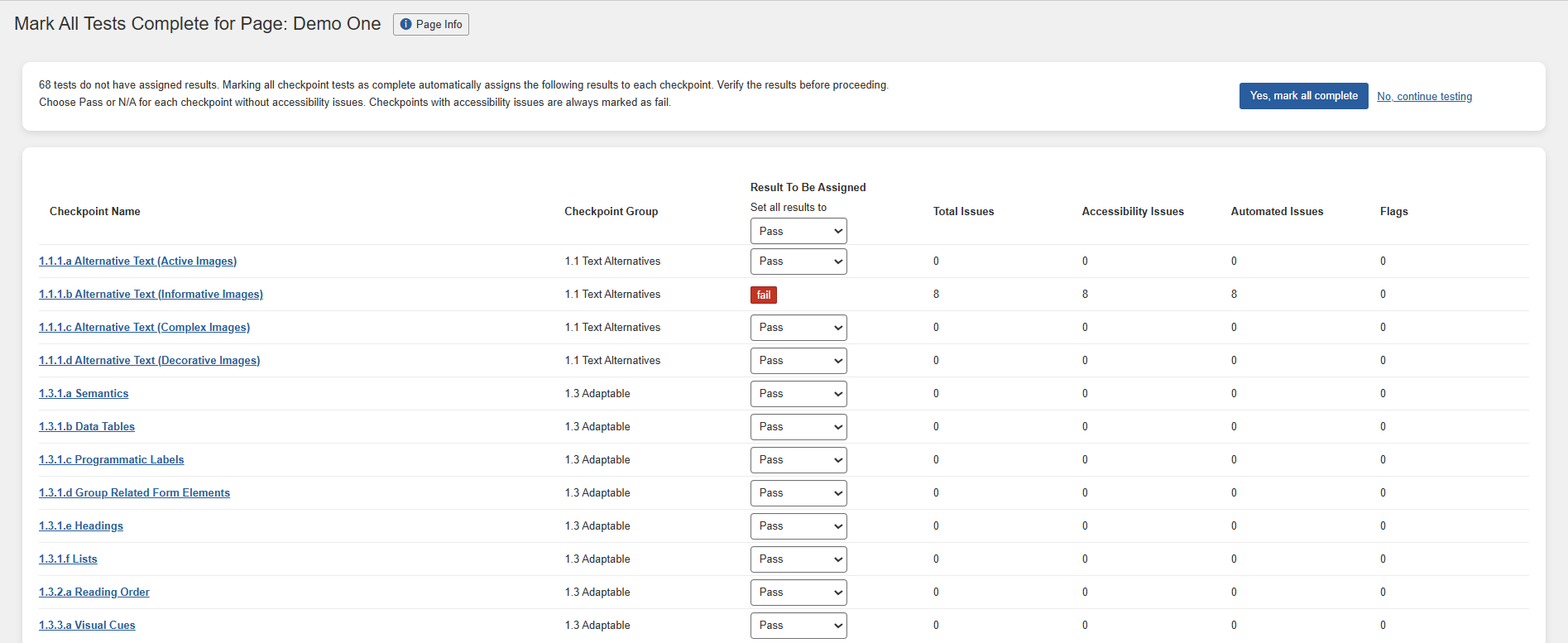
- Choose a result for each checkpoint, or use Set all results to and then adjust individual checkpoints.
- Checkpoints with accessibility issues always remain Fail, and existing results are kept.
- When N/A is the default, the conformance chart excludes N/A checkpoints, and reports mark a criterion as Not Applicable when all tested units are N/A.
Note: Pass and N/A results don't affect the accessibility score.
View the Jira Project Before you Push
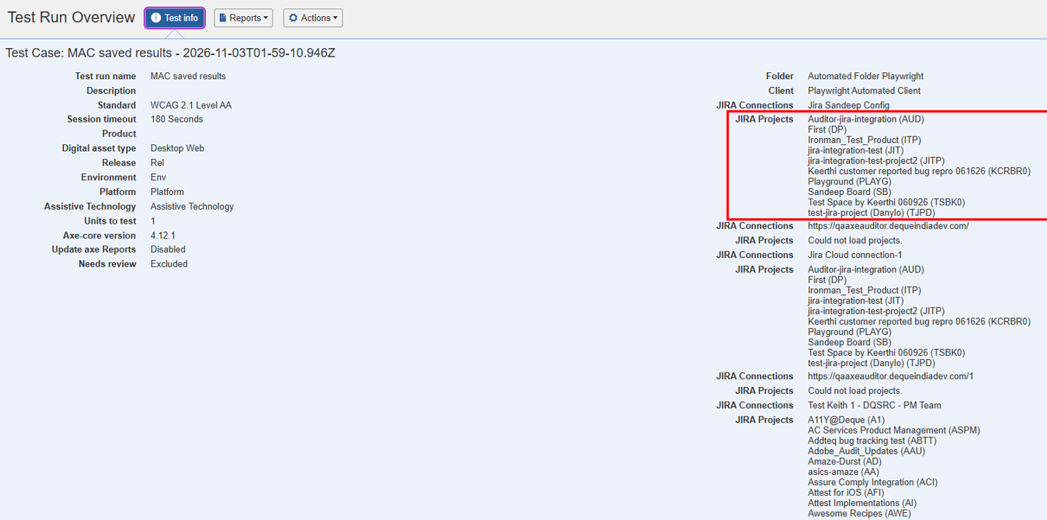
Axe Auditor now shows the linked Jira project name and key, not just the template or connection, so you can confirm where issues will be created before you push them.
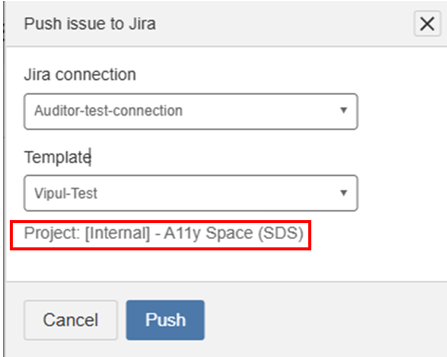
- The Push to Jira dialog displays the project associated with the selected template.
- Test runs and test units show the Jira connection and linked projects under Page Info and Test Info.
- The Test Run Completion Report and Audit Report include the Jira connection and linked projects.
Note: The Executive Summary report doesn't include Jira details.
Open Existing Audit Reports in One Click
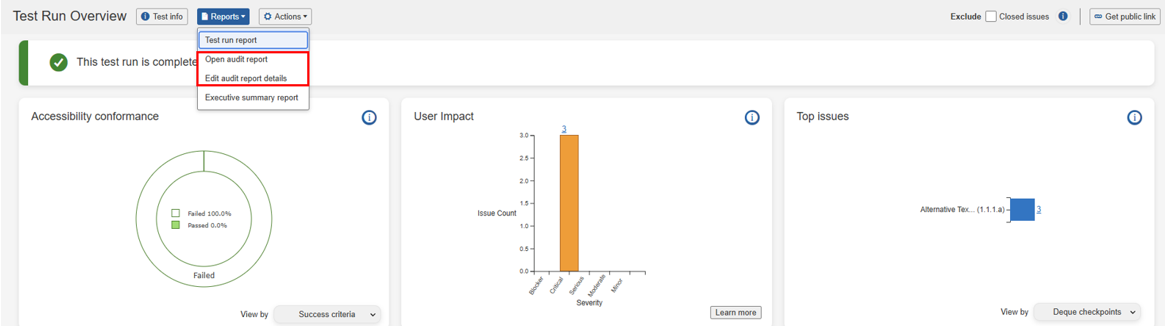
Once an audit report is generated, selecting Generate Audit Report on the Test Run Overview page opens it directly. Evaluator details are now edited as a separate action, so shared reports aren't changed unintentionally.
Support Across Multiple Client Accounts
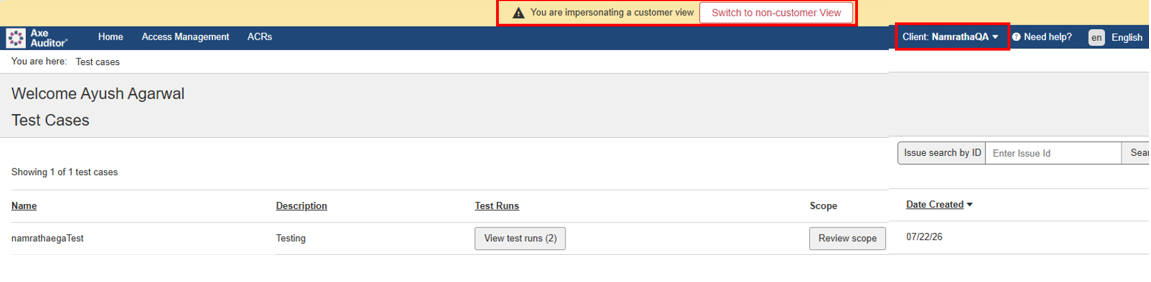
Deque consultants can now support several of your client accounts from one place, so you get faster help across accounts. Each client's data stays separate: a consultant working in one client can see only that client's ACRs. Nothing changes in how you use the ACRs page.
Changes to Existing Behavior
Only members and admins can close issues
Users with view-only access can still change an issue between Open and Fixed, but only members and admins can set an issue to Closed. This makes sure fixes are reviewed before issues are closed. Viewers can still view and filter closed issues.
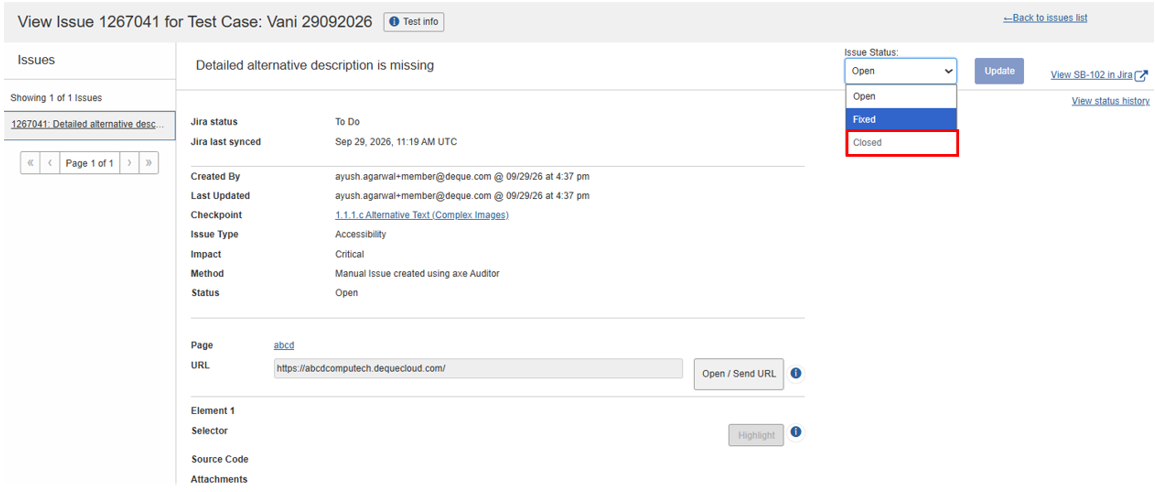
Note: If a viewer's bulk status update includes a closed issue, no issues are updated. Remove the closed issue and try again.
Bug Fix
Success criteria and checkpoints now sort numerically, for example, 1.4.2 before 1.4.10, in reports, the Issues list, filters, charts and exports.
Known Issues
- The filter doesn't work on the Checkpoint tab for flagged issues.
- Running automated testing on a component inside an iframe causes an error and the loading indicator doesn't disappear.
- The Accessibility Conformance chart doesn't show results for test runs that use the ACAA standard and set the digital asset type to Mobile Web.
- On the Issues list page, filtering by Status: Open and Groups: No Group, then sorting by Checkpoint, shows no records.
Infrastructure Upgrade
- Deque Way 4.2.0
- Axe-core 4.14.0
Browser and Driver Support
The following table describes the minimum and recommended versions on which Axe Auditor is actively tested and best supported.
| Browser | Min Version | Recommended Version | Long Support Channel |
|---|---|---|---|
| Chrome | 144 | 157 | Extended Stable (Win/Mac) |
| Firefox | 153 | 160 | ESR |
| Safari | 18 | 27.1 | Not Applicable |
| Edge | 144 | 157 | Extended Stable (Win/Mac) |
Automated Testing
The following table describes the supported browsers, the minimum and recommended versions to perform automated testing in Axe Auditor.
| Browser | Min Version | Recommended Version |
|---|---|---|
| Chrome | 144 | 157 |
| Firefox | 153 | 160 |