
Manage Access for a Single Team
Axe Reports Admins can provide a team of Axe Reports users with access to various product charts and subdimension views.
-
Under Global Options in the navigation menu, select Team Access.
-
On the Team Access page, select Manage access for your desired team. The Team Access – Assign Products page is displayed.
-
Uncheck any product that you do not want the team to view in Axe Reports.
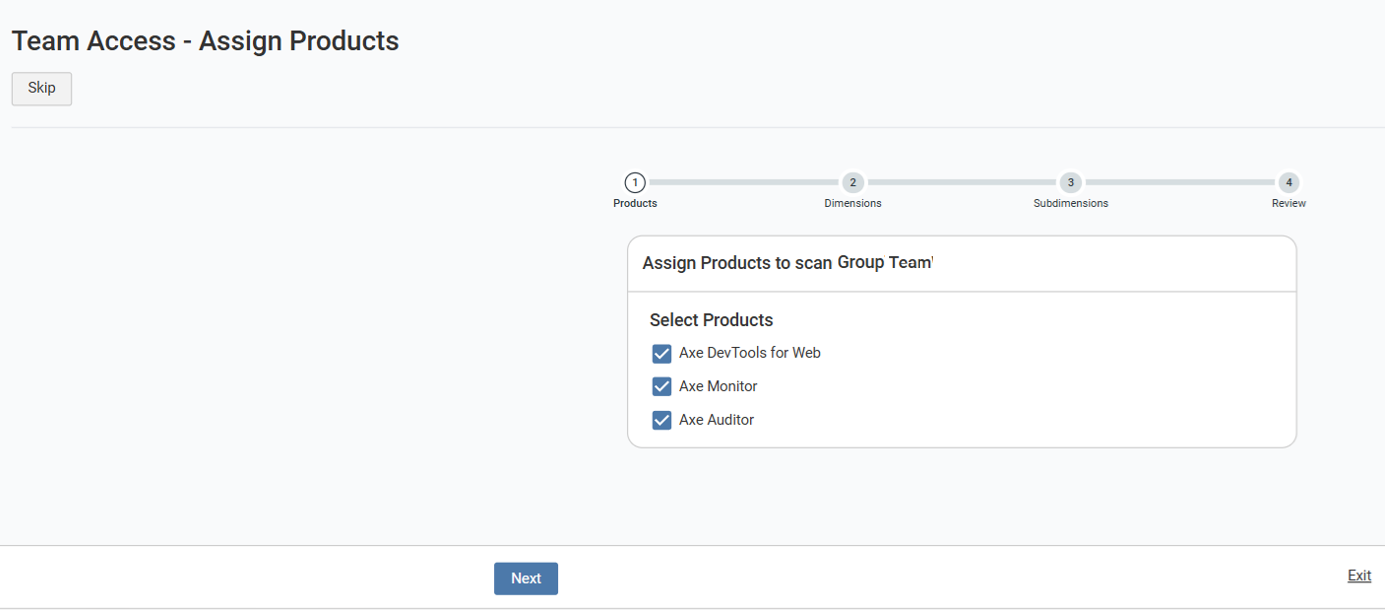
Note:
- Granting access to product charts in Axe Reports does not inherently grant access to view data in the specified products. Selecting data points on Axe Monitor and Axe Auditor charts will take a users to the relevant product, only if the user has access to that product through Axe Account.
- By default, all products are enabled. If you do not want to make any changes to the existing product chart selection, select the Skip.
- To discard your changes, select Exit. The Leave? dialog appears. Click Leave to go back to the Team Access page, and cancel your current changes.
- Click Next.
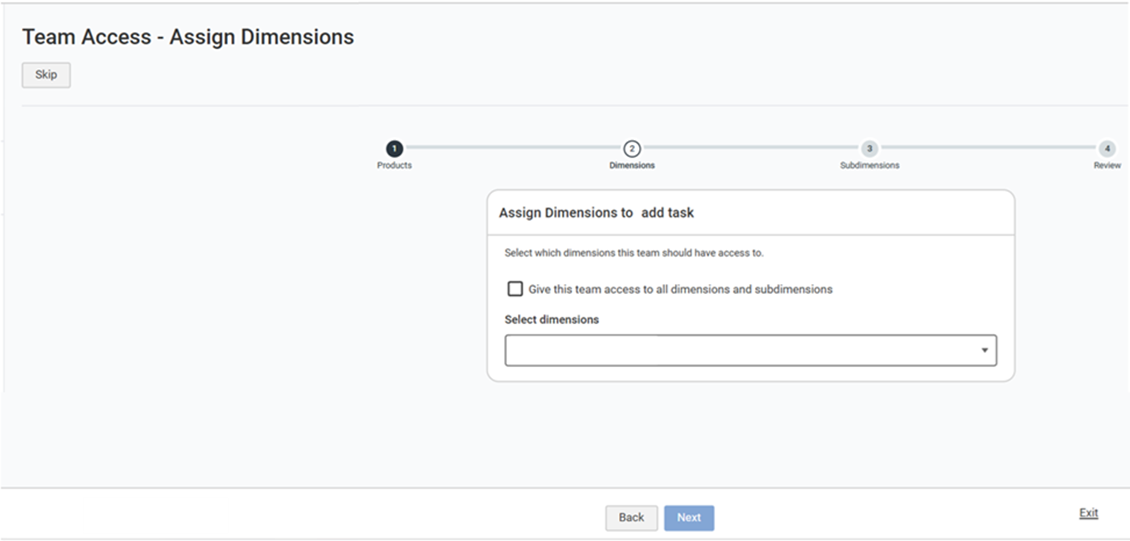
If your organization has dimensions configured, the Assign Dimensions step is displayed.
-
To give the team access to all dimensions and subdimensions in your organization, select Give this team access to all dimensions and subdimensions. Selecting “Next” will take you to the final review step before saving your permissions settings.
-
To limit the team’s access to specific business areas, clear the checkbox. Type or select dimensions in the “Select dimensions” field to select one or more dimensions. On the following step, you’ll be able to limit the team to more granular access.
Limit Access to Some Subdimensions
If you choose to provide limited dimension access, the Assign Subdimensions page is displayed for the first dimension you selected.
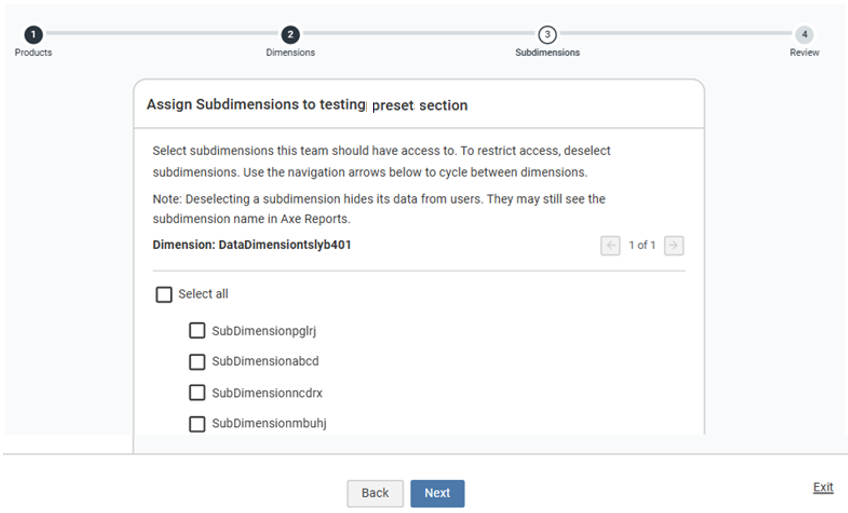
- For each dimension, select the subdimensions the team can access:
- Choose Select all to give the team access to all subdimensions under the current dimension.
- To limit access, uncheck Select all. Choose only the subdimensions the team needs to access.
-
Click the pagination to specify access to the remaining dimensions.
-
Click Next once you’ve configured subdimension access for every selected dimension. The Review page is displayed, summarizing your selections.
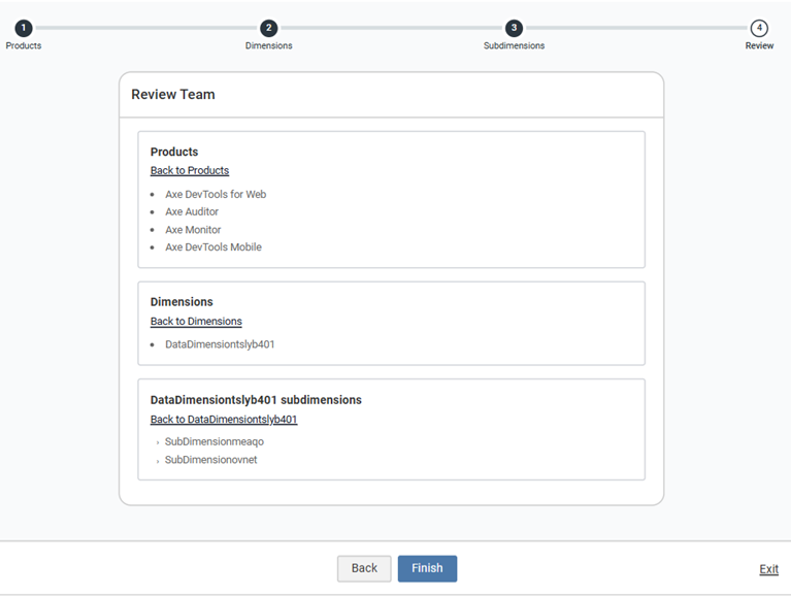
Review the following summary before saving:
Products: the Deque product charts which this team can view in Axe Reports. Dimensions: Every dimension where this team can access at least one subdimension.
A section for each dimension’s subdimensions – for example, Regions subdimensions – listing exactly which regions where this team can view reports.
- Click Finish to save the team’s access.