
Create ACR/VPATs from the Test Run Overview Page
Not for use with personal data
To create an ACR/VPAT from the test case, perform the following steps:
-
On the Axe Auditor homepage, click Test cases. The Test Cases page appears.

-
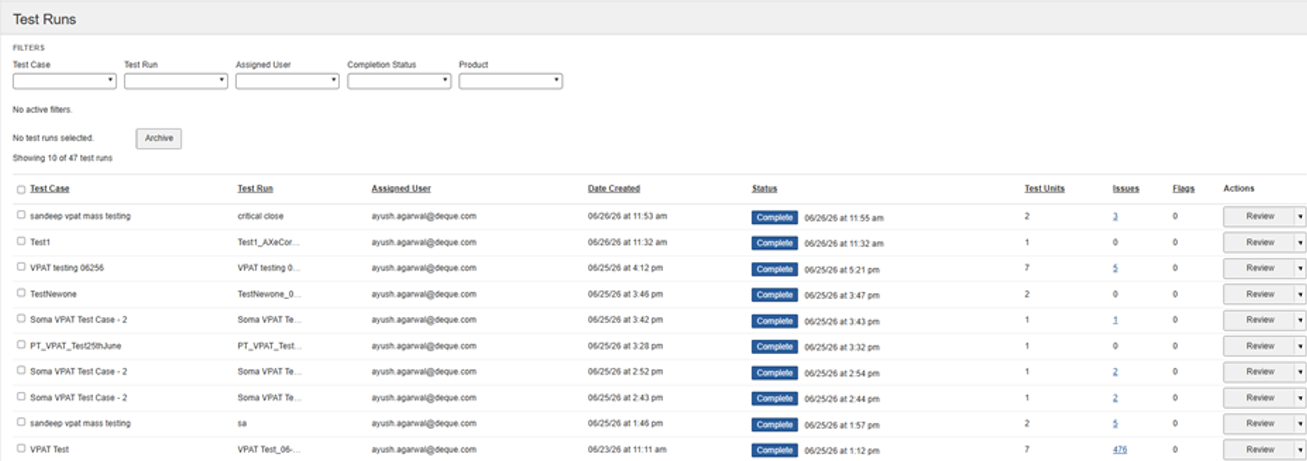
From the test case list, select the test case, and then click Review. The Test Run Overview page appears.
-
Select the test case. Under the Action column, select the Create test run drop-down, and then select Create an ACR/VPAT. The ACR/VPAT creation page will appear.
-
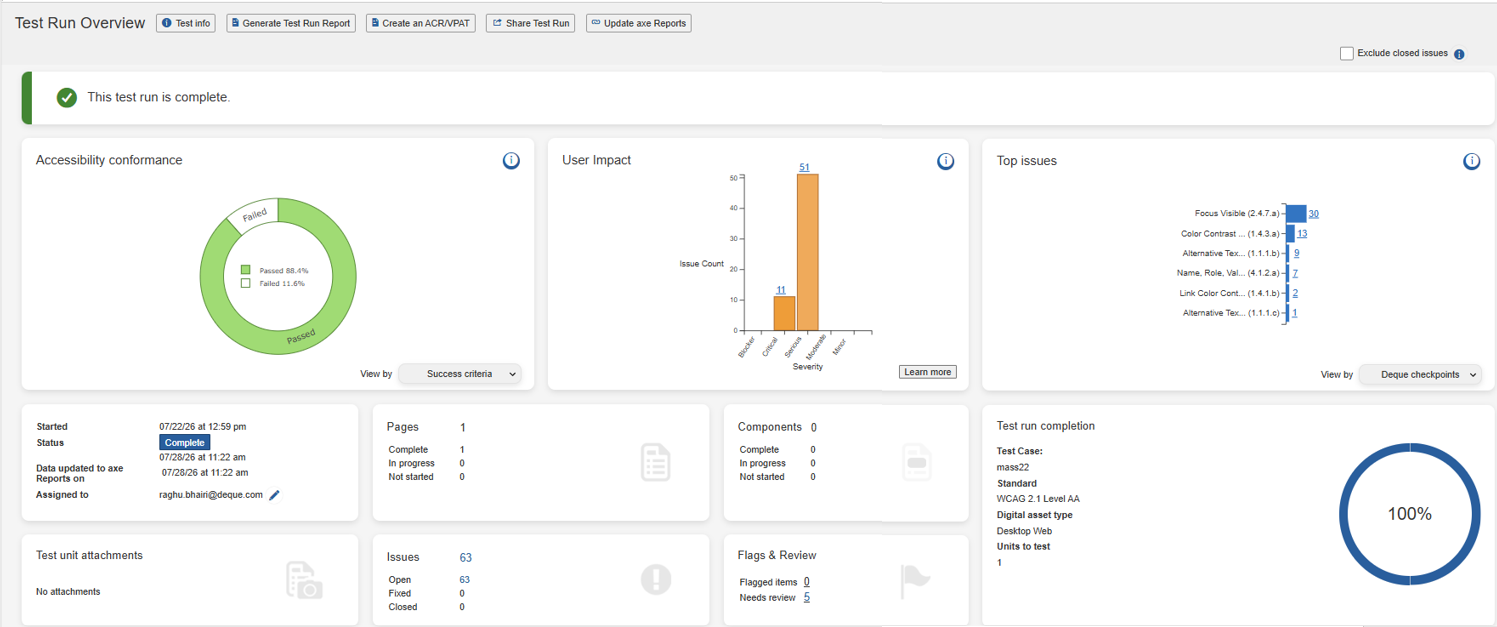
Click Create an ACR/VPAT. The ACR/VPAT creation page will appear.
-
Complete Steps 2–14 as described in the Create VPAT from the Manage VPATs dashboard page.