
Manage Clients
Not for use with personal data
Manage Clients
Manage Clients option allows you to view, add, edit, and manage clients.
View Clients
To view all clients configured for your organization, perform the following steps:
-
On the Axe Auditor homepage, click Admin Settings and then Clients management. The Manage Clients page appears.
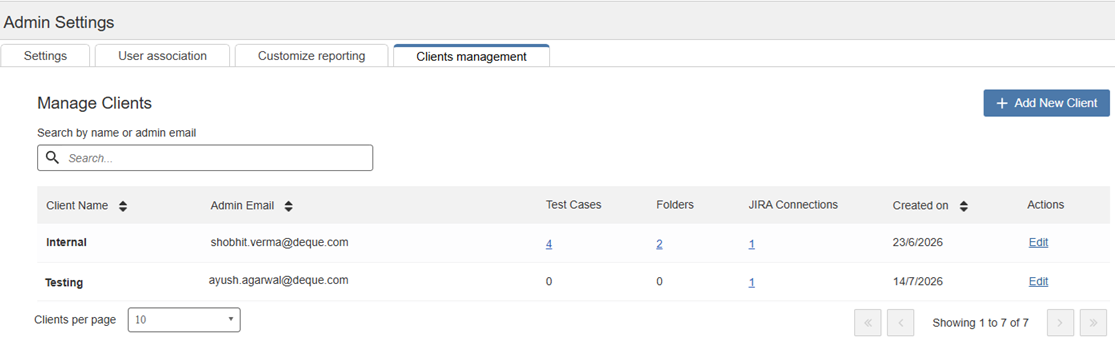
Field Description Client Name Displays the name of the client. Admin email Displays the email address of the client administrator. Test cases Displays the number of test cases associated with the client. Select the number to view the associated test cases. Folders Displays the number of folders associated with the client. Select the number to view the associated folders. Jira connections Displays the number of Jira connections associated with the client. Select the number to view the list of connections. Created On Displays the date the client was created. Actions The Edit option allows you update existing client details.
You can also:
- Search for a client by name or owner by using the Search by name or owner box.
- Sort the client list by Client Name, Admin email, or Created date.
- Change the number of clients displayed on each page by using the Clients per page list.
- Navigate between pages by using the pagination controls.