
Chat
Axe Assistant chat for Teams users provides a convenient way to communicate and collaborate in real time. It supports both one-on-one and group conversations, allowing team members to exchange messages, share files, and collaborate seamlessly within the Teams environment.
Using Axe Assistant Chat
To search and retrieve your digital accessibility answers, perform the following steps:
-
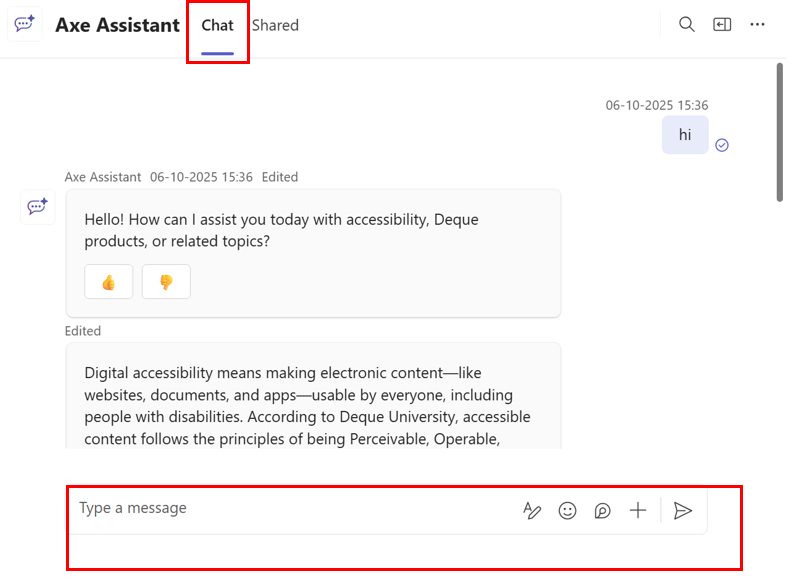
On the axe Assistant homepage, click Chat.
-
Type your question in the chat description field and click the arrow icon. Alternatively, you can click Enter from your device (laptop, desktop and so on).
Axe Assistant displays the corresponding answer under the chat description section.
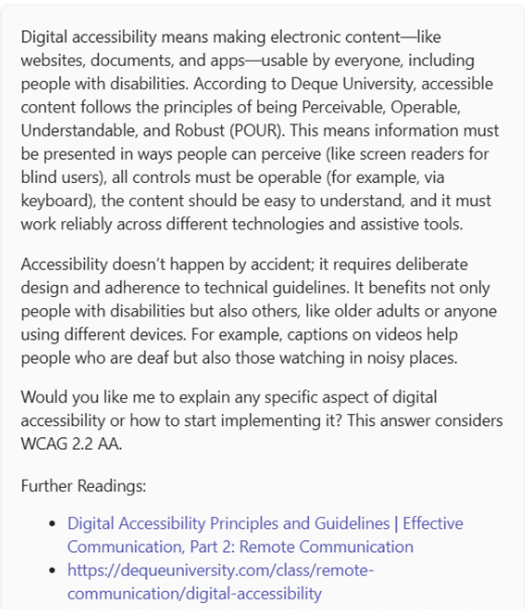
Note: Along with the specific answer, the chatbot provides related content as links under the Further Readings section. You can choose a topic of your interest and click the corresponding link, and the app will redirect you to that topic.