
画面の向き
すべてのユーザーの好みの画面向きをサポート
Not for use with personal data


確認項目
アプリはユーザーの好みのディスプレイ向きを制限すべきではありません。たとえば、ユーザーがデバイスを横向きに設定している場合、ディスプレイはそれに合わせて回転すべきです。縦向きに固定されたままにすべきではありません。
失敗例 ❌
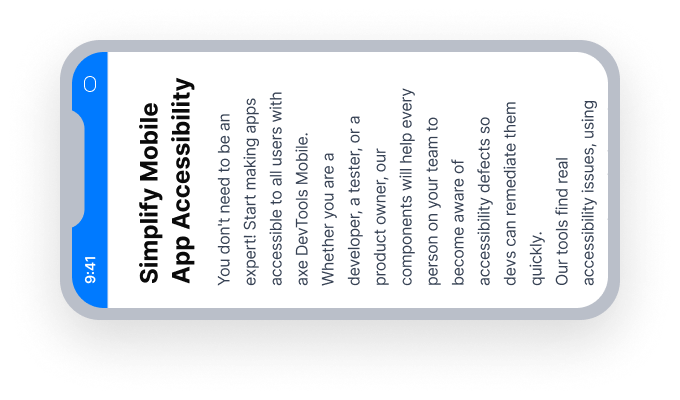
アプリが portrait mode デバイスを横向きに回転しても縦向きのまま
固定された横向きのデバイスを使用しているユーザーはアプリを利用できません
成功例 ✅
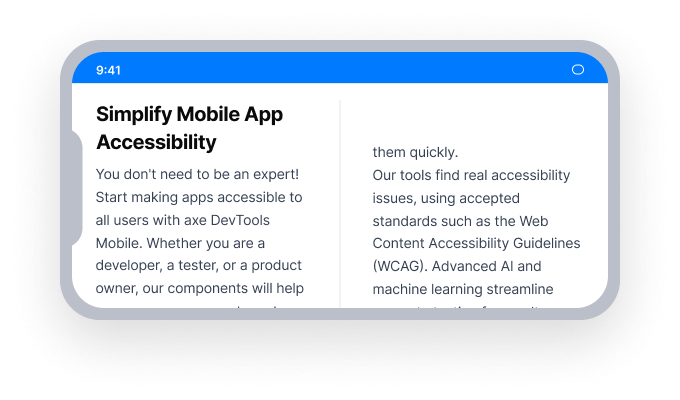
アプリが rotates to landscape mode デバイスが回転するときに一緒に回転します
どの方向に取り付けられたデバイスを使用しているユーザーでもアプリを完全に利用できます
概要
- このルールはユーザーに重大な影響を与えます
- アプリを単一の向きに固定しないでください
- アプリのデプロイメント設定で縦向きと横向きをサポートしてください
ユーザーへの影響
一部の人々はデバイスを特定の向きに固定して取り付けています。アプリがその向きをサポートできない場合、ユーザーにとって利用できなくなります。
画面向きの問題の確認
- デバイスを90度回転させ、縦向きから横向きに変更します
- 次のいずれかが発生します。
- アクセスできない場合: ディスプレイは縦向きのままで、横向きに回転しません。
- アクセス可能な場合: ディスプレイは縦向きから横向きに回転します。
問題の修正
UIKit、SwiftUI、React Native
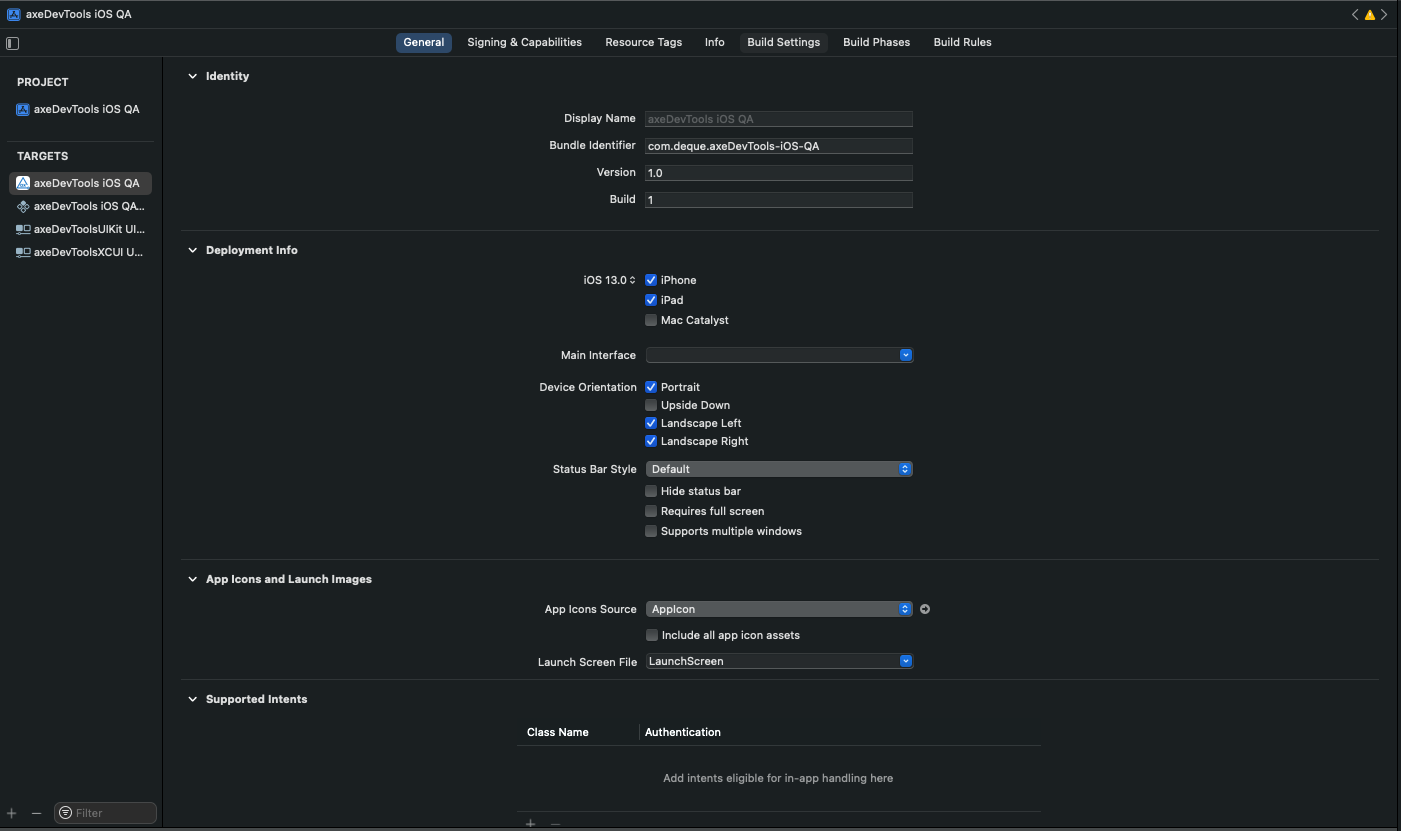
- Xcodeプロジェクトまたはワークスペースを開きます。
Project Navigatorでメインのプロジェクトファイルを選択します。プロジェクト設定パネルがメインウィンドウに表示されます。Target Listでアプリケーションのターゲットを選択します。Generalタブを開きます。Deployment Infoセクションを見つけ、Device Orientationに縦向きと少なくとも1つの横向きバリエーションが選択されていることを確認します。
Flutter
SystemChrome.setPreferredOrientationsを使用してアプリを単一の向きに制限しないでください。
// Failing — locked to portrait only
SystemChrome.setPreferredOrientations([
  DeviceOrientation.portraitUp,
  DeviceOrientation.portraitDown,
]);

// Passing — all orientations allowed
SystemChrome.setPreferredOrientations(DeviceOrientation.values);
このルールを無視してもいいか?
画面向きはユーザーに重大な影響をもたらします。この問題をほぼすべての場合で是正することをお勧めします。アプリが特定の向きに物理的に制約されているデバイス(例:販売時点情報管理端末)のために特別に設計されている場合、このルールを無視することが適切であるかもしれません。ルールの無視について詳しく学びましょう。
リソース
- Webコンテンツアクセシビリティガイドライン(WCAG)2.1、W3C勧告
- WCAG 2.1 理解文書