
Screen Title


What We Check For
Every screen within an application should provide a unique, descriptive title to be announced by assistive technology.
Failing Example ❌
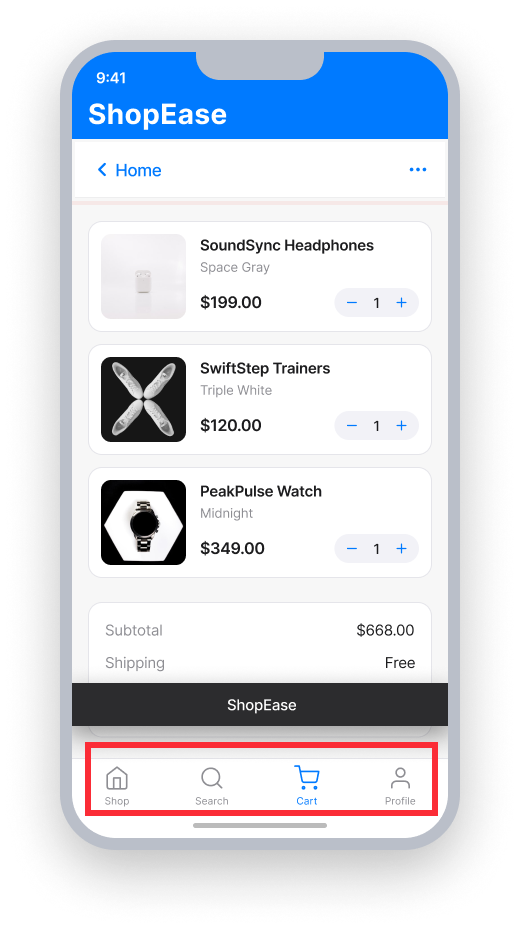
screen title = {app name only}
VoiceOver announces only the app name when the screen opens
"ShopEase"
Passing Example ✅
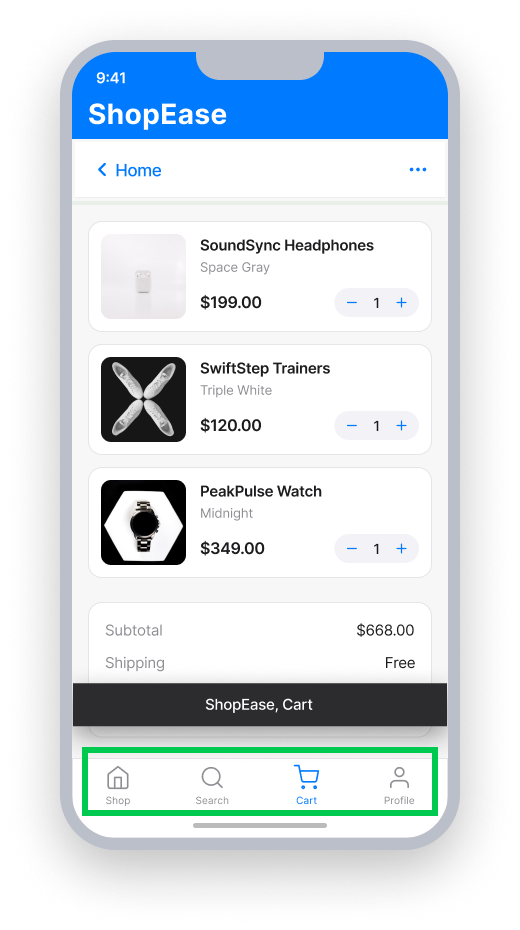
screen title = "ShopEase, Cart"
VoiceOver announces the descriptive screen title when the screen opens
"ShopEase, Cart"
At a Glance
- This rule has a moderate impact for users
- Every screen needs a unique, descriptive title — not just the application name
- UIKit: set
navigationController?.titleor thetitleproperty on the ViewController - SwiftUI: add a
.navigationTitle()modifier to the view's body - React Native: add
options={{title: 'Screen Title'}}to eachStack.Screen
Impact to Users
Screen titles allow users with visual, cognitive, and motor disabilities and limited short-term memory to determine where they are in the application, identify content on a screen by its title, and navigate between screens when a user's mode of operation depends on audio.
When a screen has no title, VoiceOver will not announce a screen title when navigating to that screen. This makes it impossible for assistive technology users to distinguish one screen from another without exploring the full content.
Confirm Screen Title Issue
- Turn on VoiceOver
- Navigate to the screen in the app
- One of the following will happen:
- Inaccessible: VoiceOver will not announce a screen title
- Accessible: VoiceOver will announce the screen title
Fix Issues
To resolve Screen Title issues, set a unique, descriptive title on each screen so assistive technology can announce it when the screen opens. This helps users orient themselves without needing to explore the full content of every screen.
UIKit
Find the ViewController that is failing the rule, and set the navigationController's title property.
navigationController?.title = "Screen Title Here"Alternatively, you can set the title property on the ViewController directly.
title = "Screen Title Here"SwiftUI
Add a .navigationTitle view modifier to the end of the last element within the view's body property.
var body: some View {
    VStack {
        Text("Below is a stepper in SwiftUI")
        StepperView()
    }.navigationTitle("Screen Title")
}
React Native
Ensure each Stack.Screen component has a descriptive name. Add options={{title: 'Screen Title'}} to define a meaningful screen title.
<Stack.Screen
    name="SettingsScreen"
    component={SettingsScreen}
    options={{title: 'Settings'}}
/>
Custom Navigation Bars
For a truly accessible experience in applications built with React Native, the navigation header must use <Stack.Navigator> with a title option. A custom navigation bar has no way of being programmatically coded to indicate it is a proper navigation element and not just a regular view. This alters how assistive technology announces and interacts with the element. Note that setting a header attribute, as often recommended, does not satisfy the criteria for Screen Title.
<Stack.Navigator>
      <Stack.Screen
          name="CartScreen"
          component={CartScreen}
          options={{title: 'Cart'}}
      />
</Stack.Navigator>
Can I Ignore This Rule?
Screen Title has a Moderate impact for users, and we recommend setting a descriptive title on every screen. In rare cases — such as a single-screen app where the application name itself clearly identifies the screen — you may consider ignoring the rule. Learn more about ignoring rules.
Frequently Asked Questions
Are there any known limitations with this rule?
Yes. Flutter apps universally fail the Screen Title rule because Flutter exposes AppBar.title as a heading element in the semantics tree rather than mapping it to the native screen title, UIViewController.title. This results in unactionable failures for developers.
Screen readers never announce the title automatically on navigation; users must manually focus the AppBar to hear it. This affects all Flutter apps and causes Screen Title (WCAG 2.4.2) failures regardless of whether a descriptive AppBar.title is present.
Resources
Deque University Course Pages
- Semantic Structure and Navigation (WCAG 2.1) - Video Tutorial
- Success Criterion 2.4.2 - Page Titled
- Requirements - 2.4.2.a Titles on Pages
Note: Full access to Deque University resources requires a subscription.
Other Resources
- Web Content Accessibility Guidelines (WCAG) 2.0, W3C Recommendation
- WCAG 2.0 Understanding Docs