
Group Scans
This feature allows you to view and analyze results for a group of scans in aggregate, rather than reviewing scans individually. You can sort and prioritize issues across multiple scans such as those from a test run, a release, or a specific team.
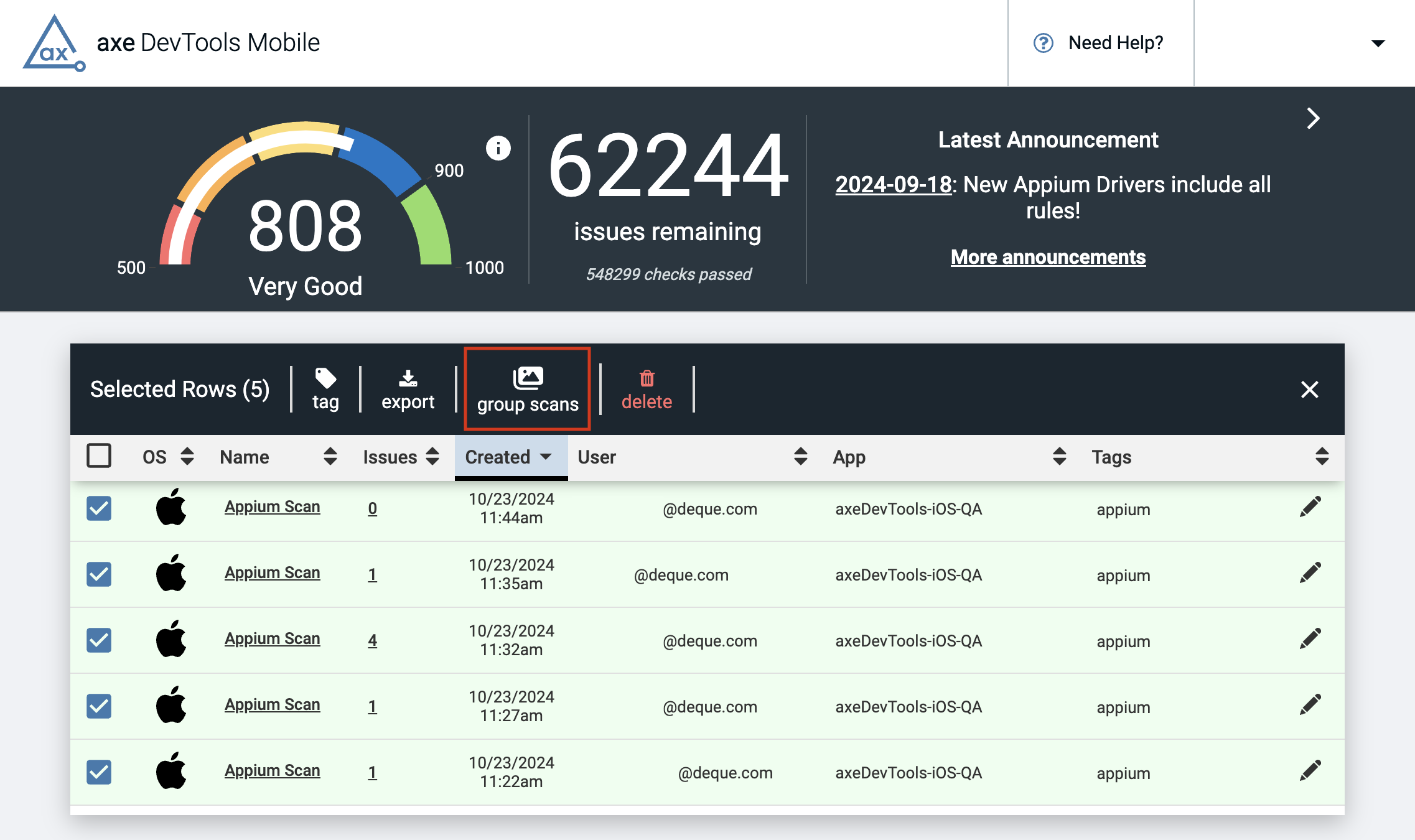
Select up to 20 scans using the checkboxes in the table then click "group scans" from the menu that appears at the top of the table.
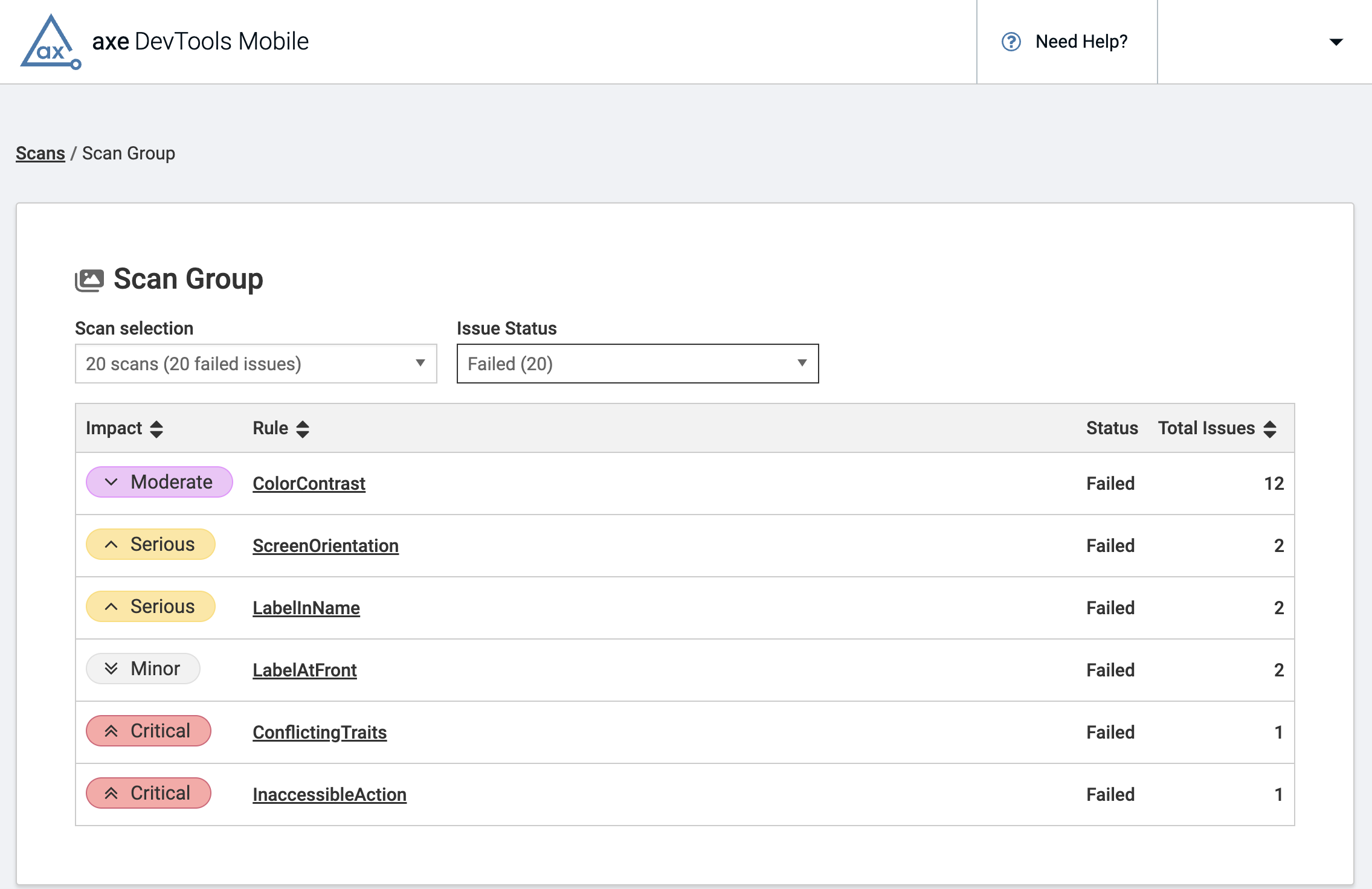
The results from the selected scans will be displayed in a table similar to the HTML report generated with the Axe DevTools Reporter CLI but available directly in the dashboard.
The transition from Axe DevTools Mobile Dashboard to Axe Developer Hub for your accessibility testing results is well underway. Axe Developer Hub allows you to organize your scans in projects, and scan results are already grouped by test run so you can easily view and manage aggregated results. Refer to the Axe Developer Hub documentation for a more comprehensive understanding of its various capabilities.