
Axe Developer Hub
View and manage accessibility issues in a central location
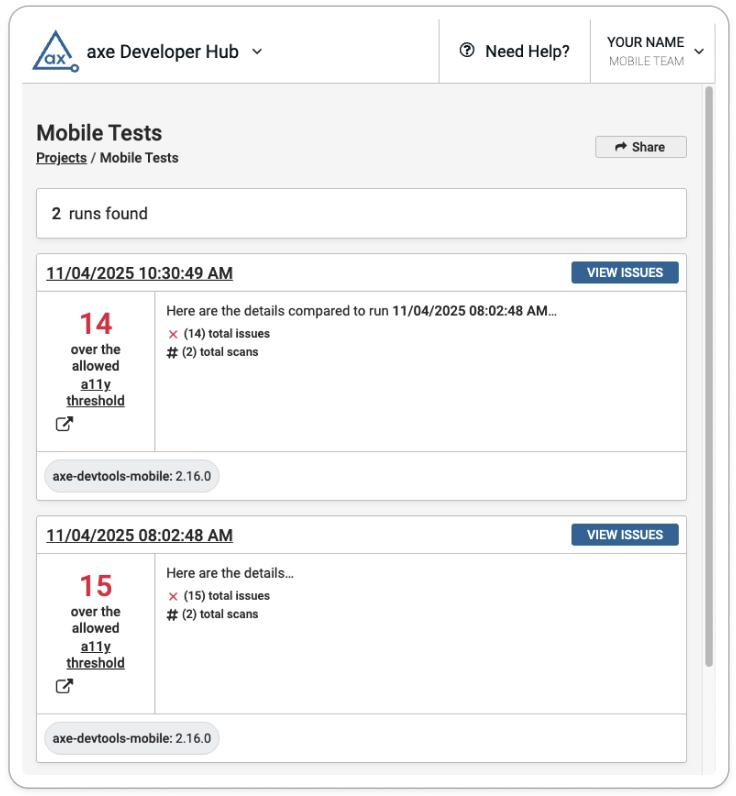
When you are using our mobile analyzers or our automated testing solutions to check your mobile apps for accessibility, scan results are pushed to Axe Developer Hub - a central location for viewing and managing accessibility issues, where scans are automatically grouped by test run. You can use Developer Hub with all of Deque's accessibility toolkits, so you can find results for web tests and mobile tests in one place. Use Axe Developer Hub with Axe DevTools Mobile to:
- Instantly identify accessibility issues in your app
- Track accessibility results over time to spot trends and maintain quality
- Share accessibility results with teammates to direct attention to areas of concern
View and Manage Results
All test runs are collected and displayed in Axe Developer Hub. Keep up with the accessibility status of your project - including the number and severity of accessibility issues. Find in-depth information about each issue - including screenshots, rule descriptions, and hierarchy views - and find links to comprehensive remediation advice on our mobile rule pages.
If you are running automated tests in addition to scanning with the mobile analyzers, you might see a different issue count for the same app in Axe Developer Hub. When you configure your test suite to ignore rules with targeted testing, you won't see results for these rules. Since you cannot ignore rule sets with the mobile analyzers, you may see a higher issue count for these test runs.